
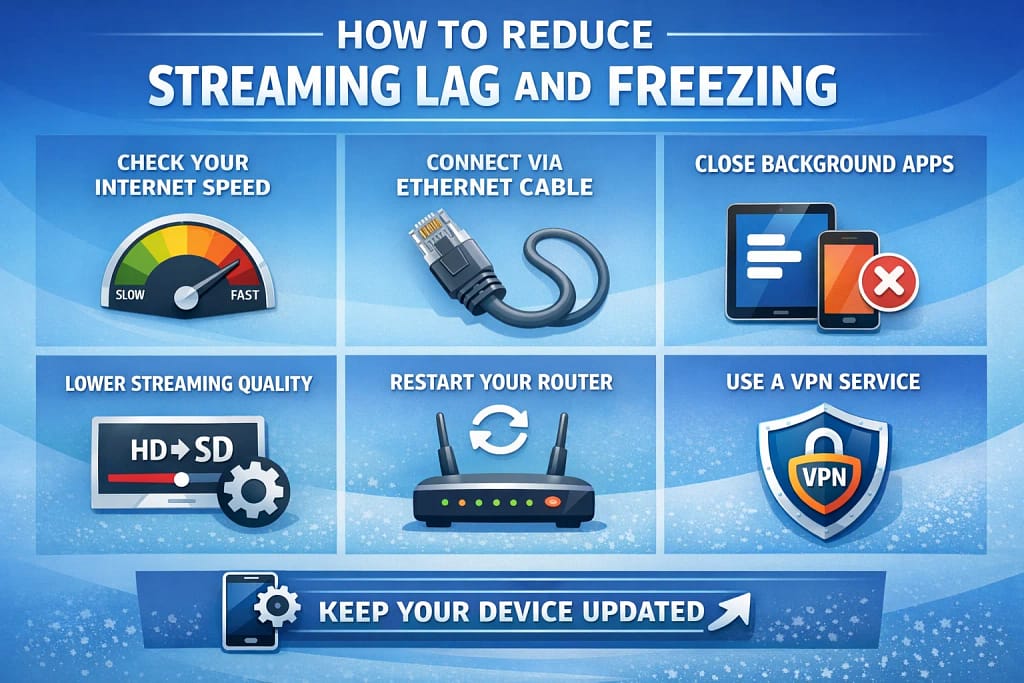
Reduce Streaming Lag Freezing
Introduction
Streaming television has become a popular way to watch live channels, films, and on-demand content in the UK. However, many viewers experience lag or freezing during playback, which can interrupt the viewing experience.
Lag and freezing occur when the streaming device cannot receive video data quickly enough to maintain smooth playback. This can result in delays, pauses, or sudden drops in picture quality.
Understanding how to reduce streaming lag freezing issues can help viewers identify the causes and take practical steps to improve performance.
In this guide, we’ll explain why streaming lag and freezing occur and outline simple ways to improve streaming stability.
Many viewers searching how to reduce streaming lag freezing issues are looking for simple ways to improve streaming performance at home.
What Causes Streaming Lag and Freezing
Streaming lag and freezing are usually caused by interruptions in the flow of data between the streaming service and the device being used to watch content. Because streaming relies on a continuous data connection, even small disruptions can affect playback.
One of the most common causes is a slow or unstable internet connection. If the connection speed drops or fluctuates, the streaming device may struggle to keep up with the data required for video playback.
Network congestion can also contribute to lag. When multiple devices are using the internet at the same time, the available bandwidth may be reduced, leading to interruptions during streaming.
WiFi signal strength is another important factor. Weak signals caused by distance from the router or interference from other devices can result in inconsistent connection speeds and playback issues.
Understanding these causes is the first step to reduce streaming lag freezing problems and improve the viewing experience.
How to Improve Internet and WiFi Performance
Improving internet and WiFi performance is one of the most effective ways to reduce streaming issues. A stable and fast connection ensures that video data is delivered consistently to the streaming device.
Positioning the router in a central location and reducing obstacles between the router and the device can improve signal strength. Limiting heavy network usage during streaming can also help maintain consistent speeds.
In some cases, upgrading broadband speed or using WiFi extenders can provide a more stable connection, particularly in larger homes.
Taking these steps can help households reduce streaming lag freezing issues and achieve smoother playback.
Optimising Streaming Devices
The performance of the streaming device itself can also affect playback quality. Devices that are overloaded with apps or running outdated software may struggle to process video data efficiently.
Clearing unused apps, updating software, and restarting the device regularly can help maintain performance. Ensuring that the device is properly configured for streaming can also reduce lag and improve responsiveness.
Optimising the device is an important step for viewers looking to reduce streaming lag freezing and improve overall streaming performance.
Reducing Network Congestion
Network congestion occurs when multiple devices are using the internet at the same time, reducing the bandwidth available for streaming. This can lead to buffering, lag, or freezing during playback.
Limiting high-bandwidth activities such as downloads, gaming, or additional streaming sessions can help improve performance. Scheduling heavy internet usage outside of peak viewing times can also reduce strain on the network.
Managing network usage is another effective way to reduce streaming lag freezing problems and maintain a stable viewing experience.
Reliable Streaming Platforms
While network and device performance are important, the reliability of the streaming platform itself also affects playback quality. Well-maintained services are designed to deliver content efficiently across different devices and network conditions.
Reliable platforms use stable infrastructure and optimised delivery systems to minimise interruptions and maintain consistent playback.
For viewers who want to test how a streaming service performs on their device, trying a short-term VIP Viewing Pass can provide a simple way to evaluate streaming quality.
Final Thoughts
Streaming lag and freezing can be frustrating, but they are often caused by issues that can be improved with simple adjustments. By improving internet connectivity, optimising devices, and managing network usage, viewers can significantly reduce interruptions.
Understanding how to reduce streaming lag freezing problems allows households to enjoy smoother streaming and a more reliable viewing experience.