
Improve WiFi Streaming TV UK
Introduction
A stable WiFi connection is one of the most important factors when streaming television online. When the connection is weak or inconsistent, viewers may experience buffering, reduced picture quality, or interruptions during live broadcasts.
As more households in the UK move toward internet-based television, maintaining a reliable home network has become increasingly important. Streaming devices such as Firestick, smart televisions, and streaming boxes all rely on a steady internet connection to deliver live channels and entertainment.
Even when broadband speeds are fast, poor WiFi coverage inside the home can still affect streaming performance. Walls, distance from the router, and other devices using the network can all influence signal strength.
In this guide, we’ll explain how to improve WiFi for streaming TV in the UK and outline practical steps that can help viewers achieve smoother and more reliable streaming.
Many households searching how to improve WiFi streaming TV UK connections simply want smoother playback and fewer interruptions while watching television online.
Why WiFi Affects Streaming Quality
When streaming television online, video data is continuously delivered from the streaming service to the device being used to watch the content. If the WiFi connection becomes unstable or too slow, the device may not receive data quickly enough to maintain smooth playback.
This is why a strong home network is important for streaming. Even when households have fast broadband speeds, poor WiFi coverage inside the home can still cause interruptions. Distance from the router, walls between rooms, and interference from other wireless devices can all weaken the signal reaching the streaming device.
Streaming high-quality video such as HD or 4K requires a steady connection that can deliver data consistently without large drops in speed. If the signal strength fluctuates, viewers may experience buffering, reduced picture quality, or temporary pauses during playback.
Understanding how WiFi affects streaming can help viewers take the right steps to improve their network and achieve more reliable streaming performance.
Understanding how networks work can help viewers improve WiFi streaming TV UK setups and maintain stable video playback.
How to Improve WiFi for Streaming TV
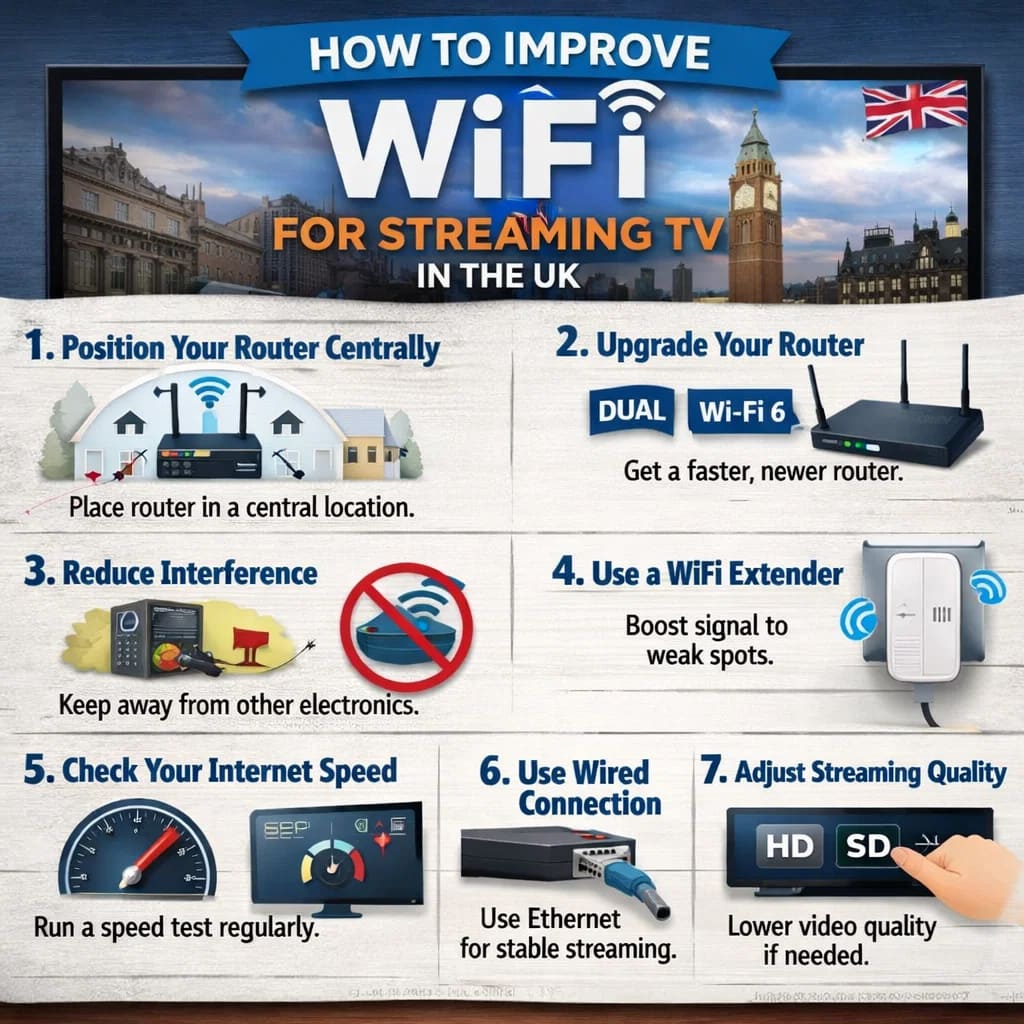
There are several practical steps households can take to improve WiFi for streaming TV in the UK. In many cases, small adjustments to the home network can significantly improve streaming stability and reduce buffering.
One of the most effective improvements is placing the router in a central location within the home. When the router is positioned closer to the streaming device, the signal strength is usually stronger and more consistent.
Reducing physical obstacles between the router and the streaming device can also help. Walls, furniture, and large electronic devices can weaken WiFi signals, so keeping the router in an open space often improves coverage.
Another helpful step is limiting heavy network usage while streaming. Large downloads, online gaming, and multiple devices streaming video at the same time can place extra pressure on the network and reduce the available bandwidth for television streaming.
Upgrading older routers or using WiFi extenders can also improve coverage in larger homes. These devices help strengthen the wireless signal and extend WiFi into areas that previously had weak connectivity.
Taking these steps can make it much easier to improve WiFi for streaming TV in the UK and create a more stable viewing experience for live channels and entertainment.
Simple changes such as router placement and reducing network congestion can help improve WiFi streaming TV UK performance significantly.
Common WiFi Problems That Affect Streaming
Several common WiFi issues can affect streaming performance in the home. Even when broadband speeds are adequate, these problems can reduce signal strength or create interruptions during video playback.
One of the most common issues is distance from the router. When a streaming device is located far from the router, the WiFi signal may weaken before reaching the device. This can lead to slower connection speeds and unstable streaming.
Interference from walls, furniture, and electronic devices can also affect WiFi performance. Thick walls or floors between rooms may reduce signal strength, while other wireless devices operating on the same network can create congestion.
Another frequent cause of streaming problems is network congestion. If several devices in the home are downloading large files, playing online games, or streaming video at the same time, the available bandwidth may become limited.
Understanding these common issues can help viewers identify why streaming problems occur and take steps to improve their home network for smoother playback.
Router Placement Tips for Better Streaming
Router placement plays an important role in WiFi performance, particularly when streaming television online. Even when broadband speeds are fast, poor router placement can reduce signal strength and create interruptions during video playback.
Ideally, the router should be positioned in a central location within the home. This helps distribute the WiFi signal more evenly to different rooms and allows streaming devices to maintain a stronger connection.
Keeping the router elevated and away from large obstacles can also improve signal quality. Placing the router on a shelf or cabinet rather than on the floor often helps the signal travel more effectively throughout the room.
It is also helpful to avoid placing the router near devices that may cause interference, such as microwaves, cordless phones, or other wireless equipment. These devices can disrupt WiFi signals and reduce connection stability.
By positioning the router carefully and ensuring the streaming device receives a strong signal, households can improve WiFi for streaming TV in the UK and enjoy a more reliable viewing experience.
Correct router positioning is one of the easiest ways to improve WiFi streaming TV UK connections inside the home.
Reliable Streaming Platforms and Stable Connections
While improving WiFi can significantly enhance streaming performance, the reliability of the streaming platform itself also plays an important role in the overall viewing experience. Well-maintained streaming services are designed to deliver content efficiently across different devices and internet connections.
When a streaming platform uses stable infrastructure and optimised delivery systems, viewers are less likely to experience interruptions while watching films, television programmes, or live broadcasts. This is especially important for live events where buffering can interrupt the viewing experience.
Devices such as Firestick, smart televisions, and streaming boxes can all perform well when connected to a stable network and paired with reliable streaming services. When both the network and the streaming platform are properly configured, viewers can enjoy consistent playback in HD, UHD, or even 4K quality.
For viewers who want to explore modern streaming options, trying a short-term VIP Viewing Pass can provide a simple way to test how a streaming service performs on their device.
Final Thoughts
A strong and stable WiFi connection is essential for smooth television streaming. Even with fast broadband speeds, poor signal coverage or network congestion can cause interruptions during playback.
By positioning the router correctly, reducing interference, and ensuring the home network is properly configured, households can significantly improve streaming performance.
Taking simple steps to improve WiFi for streaming TV in the UK can help viewers enjoy reliable access to live channels, films, and entertainment without the frustration of buffering or connection problems.
Taking a few practical steps to improve WiFi streaming TV UK networks can dramatically reduce buffering and improve viewing quality.